
Any teacher with a Mathspace account can now invite other teachers to join the school's subscription.
Inviting teachers in Mathspace:
To do this, log in to your Mathspace account, then:
-
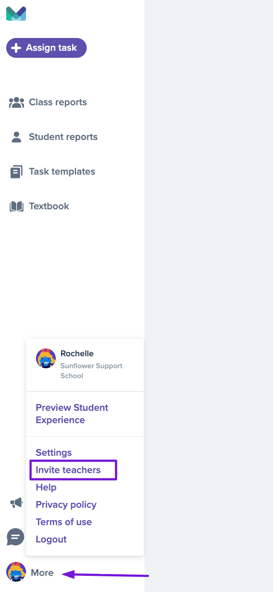
Click on your avatar or the "More button" at the bottom left corner of your screen and select 'Invite teachers.'

-
Fill in all the details of the teacher you wish to invite.
-
Invitees will then be emailed a temporary login and prompted to create a password.
If you can’t see the button, try zooming out your screen to make it easier to locate your avatar.